Content
- Overview
- Pre-conditions
- Steps
Overview
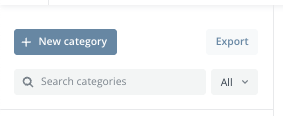
You can export all categories and sub-categories to get a table of all categories/sub-categories and their respective IDs.
Here is the format of these values:
| Category Level 1 | Category Level 2 | Category Level 3 | ID |
| Category 1 | Abcd-1234 | ||
| Category 1 | Category 1A | Efgh-5678 | |
| Category 1 | Category 1A | Category 1Aa | Ijkl-9012 |
| Etc.. |
Pre-conditions
- System Level Permission: 'Category Manager', 'System Administration'
- It is toggled on in Platform Configuration tab in Admin Panel module.
Steps
- Open the dashboard.
- Select Admin panel from the menu bar in the top right corner.
- Click Export.